Food & drink icon packs
Meals, snacks, coffee and kitchen tools for menus, delivery apps and recipe sites, in line, flat and sticker styles.
72 packs · 8 styles · 3 929 icônes · SVG et PNG











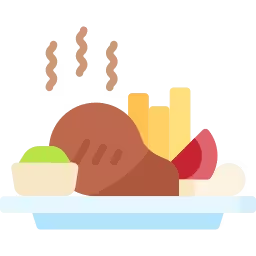
Icônes food : Plat
Illustrations en aplats de couleur, sans contour, pour sites, apps et présentations.


























































































































































Icônes food : Trait couleur
Contours remplis de couleur, qui s’accordent avec les icônes au trait.





























































































































Icônes food : Trait
Contours d’une seule couleur qui prennent la couleur du texte. Idéal pour les interfaces.













































































Icônes food : Cercle
Chaque icône est placée dans un cercle : lignes et listes restent alignées.











Icônes food : Dégradé
Dégradés doux pour pages d’accueil, bannières et présentations.













Icônes food : Dessiné à la main
Traits dessinés à la main, au style chaleureux et informel.








Icônes food : Plein
Formes pleines d’une seule couleur, nettes en petite taille comme à l’impression.














Icônes food : Autres styles
Packs aux styles variés et moins courants.






















Icônes food populaires
Un mélange des icônes food les plus téléchargées, tous styles confondus. Lancez une recherche pour voir le reste.
 FoodFlat
 FoodLineal Color
 FoodOutline Color
 FoodFlat
 FoodLineal Color
 FoodOutline
 FoodLineal Color
 FoodLineal
 FoodLineal
 FoodFlat
 FoodFlat
Choosing food and drink icons
Food icons appear on menus, delivery apps, recipe sites and nutrition labels. People recognize food quickly, so icons can carry a lot of meaning as long as they stay simple.
Menus and delivery apps
Category tabs such as pizza, burgers, sushi, drinks and desserts need icons that work at 24–32 px. Flat and line color artwork helps here, because color makes a tomato or a lemon recognizable faster than an outline does.
Dietary labels
Vegan, vegetarian, gluten-free, spicy and allergen markers must be clear and consistent. Use a simple line or solid set, always with a text label or tooltip, and don't rely on color alone, such as green for vegetarian, because not everyone can tell colors apart.
Recipe sites
Recipes use small icons for prep time, cook time, servings and difficulty, plus kitchen tools. A one-color line pack keeps these quiet next to the ingredient list. Save colorful food artwork for recipe cards and category headers.
Order tracking
Delivery apps need a status icon for each stage of an order: received, preparing, on the way and delivered. Use one style for the whole sequence, make the current stage clearly stand out, and pair each icon with a time estimate so customers know what to expect.
Restaurants and print
For printed menus and posters, download icons as SVG so they stay sharp at any size, or export a large PNG for tools that don't accept vectors. Recolor icons in the editor to match the menu before you export.
Before you download
- List your menu categories and check that the pack covers each one.
- Choose one set of dietary icons and explain it in a short key.
- Test colorful icons at small sizes on a phone.
- Keep interface icons separate from decorative food artwork.
- Export files for print as SVG.
Related: e-commerce icons for online ordering, and travel icons for hotel and restaurant guides. Or search food icons.
Questions sur les icônes food
Des réponses courtes sur les formats, la modification et l'utilisation.
Which icon style works best for a food delivery app?
Flat or line color icons for category tabs, because color helps people recognize food quickly, and simple line icons for interface controls such as cart, search and account.
How should I show dietary and allergen information?
Use one consistent set of simple icons, always with a text label or tooltip, and never rely on color alone.
Can I print food icons on menus?
Yes. Download SVG files so icons stay sharp at any print size, and recolor them in the editor to match your menu first.
Can I use food icons in commercial projects?
Yes. IconHub icons are free for personal and commercial projects with attribution. You can't resell them as files or use them in a logo. The license page has the full summary.